Custom label examples
Custom Label allows flexible customization of label appearance: you can change the color, text, size, and position to match your store’s style. Different shapes, fonts, icons, and display conditions are supported, for example, only for sale or new products. This helps highlight important information and improve the visual presentation of items.
On product picture
-
 Bundle & Save
T-Shirt
Original price was: $18.00.$10.00Current price is: $10.00. Add to cart -
NEW COLOR
T-Shirt L
Original price was: $18.00.$10.00Current price is: $10.00. Add to cart -
Deal
T-Shirt M
Original price was: $18.00.$10.00Current price is: $10.00. Add to cart -
Top Rated
T-Shirt S
Original price was: $18.00.$10.00Current price is: $10.00. Add to cart
Below image (before/after title, after price)
-

 NEW
NEWHoodie with Logo
Original price was: $100.00.$85.00Current price is: $85.00. Add to cartDiscount at Checkout -
Hoodie with Logo L
Original price was: $100.00.$85.00Current price is: $85.00. Add to cart Free shipping
 -
COTON:ON
Hoodie with Logo M
Original price was: $100.00.$85.00Current price is: $85.00.Add to cartFree 1-3 day delivery on first-time orders over $35 Free 365-day returns -
NEW ARRIVAL
Hoodie with Logo S
Original price was: $200.00.$85.00Current price is: $85.00.Add to cart Subscribe to Save
Own labels examples
Own Labels let you add pre-designed label images to your products without manual customization. You can choose from a set of ready-made graphics, such as ‘New’, ‘Sale’, or ‘Limited’, and place them on product images to quickly draw attention and enhance visual appeal. It’s a fast and effective way to highlight product features.



Discount label with percentage
The Discount Label with Percentage automatically displays the discount amount on product images, such as ‘-20%’ or ‘Save 30%’. It helps highlight promotional offers clearly and encourages customers to make quicker purchase decisions. This label updates dynamically based on the regular and sale prices.
On product picture
-
 -25%
-25%Polo
Original price was: $20.00.$15.00Current price is: $15.00. Add to cart -
55 % Off
Polo L
Original price was: $20.00.$9.00Current price is: $9.00. Add to cart -
10%

Polo M
Original price was: $20.00.$18.00Current price is: $18.00. Add to cart -
20% SAVINGS
Polo S
Original price was: $20.00.$16.00Current price is: $16.00. Add to cart
Below image (before/after title, after price)
-

 10%
10%Beanie
Original price was: $100.00.$90.00Current price is: $90.00.Add to cart10 Off Code: SUNNY20 -
 Super SALE
Beanie L
Original price was: $100.00.$80.00Current price is: $80.00. Add to cartBUY ONE, GET ONE 20 OFF -
Beanie M
Original price was: $100.00.$90.00Current price is: $90.00.Add to cartSummer Kickoff Sale 10! -
 Save 30 at Checkout
Beanie S
Original price was: $100.00.$70.00Current price is: $70.00. Add to cart
Discount label with value
The Discount Label with Value shows the exact amount saved in currency, like ‘Save $10’ or ‘- €15’, directly on the product image. It provides customers with a clear understanding of the benefits they get, boosting trust and increasing conversion rates.
On product picture
-

 Hurry! $50 off
Sunglasses
Original price was: $90.00.$40.00Current price is: $40.00. Add to cart -
40

Sunglasses L
Original price was: $90.00.$50.00Current price is: $50.00. Add to cart -
 Grab $10 off – limited-time offer!
Sunglasses M
Original price was: $90.00.$80.00Current price is: $80.00. Add to cart -
 10$
10$Sunglasses S
Original price was: $90.00.$80.00Current price is: $80.00. Add to cart
Below image (before/after title, after price)
-

WordPress Pennant
Original price was: $150.00.$50.00Current price is: $50.00.Add to cart Save $100 – offer ends tomorrow!
 -
WordPress Pennant L
Original price was: $11.05.$10.00Current price is: $10.00. Add to cartToday's deal 1.05 -
WordPress Pennant M
Original price was: $11.05.$10.00Current price is: $10.00.Add to cart Last chance to save 1.05$
 -
LIMITED TIME -55$
WordPress Pennant S
Original price was: $100.00.$45.00Current price is: $45.00. Add to cart
Static discount label (before/after title, after price)
-

Belt
Original price was: $65.00.$63.00Current price is: $63.00.Add to cart20% off on orders $150+ -
- 5% for New Insiders

Belt L
Original price was: $65.00.$63.00Current price is: $63.00. Add to cart -
Belt M
Original price was: $65.00.$63.00Current price is: $63.00. Add to cartBOGO 50% OFF MIX-AND-MATCH -
Belt S
Original price was: $65.00.$63.00Current price is: $63.00.Add to cart New Customers Only: Spend $49+, Get $20 eGift Card
Energy efficiency label
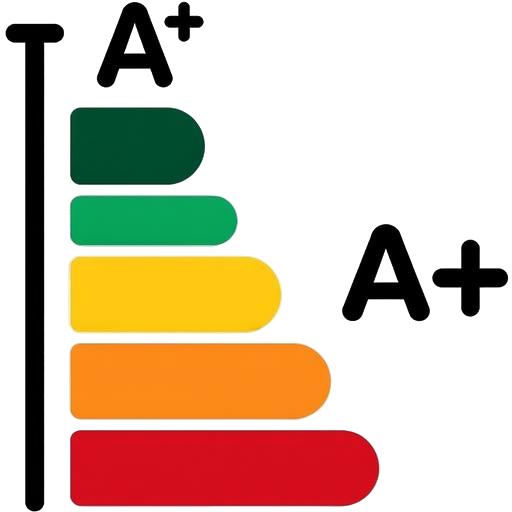
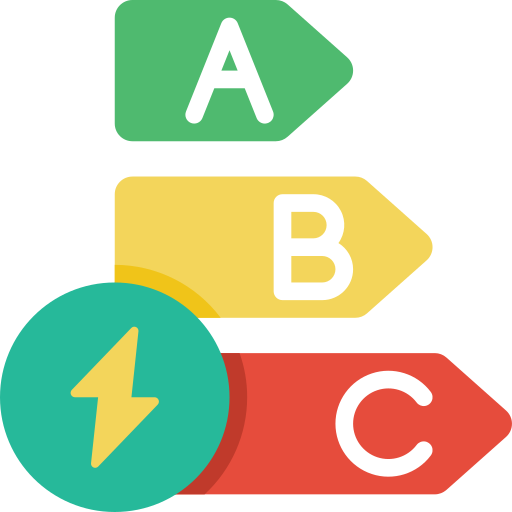
The Energy Efficiency Label displays the product’s energy rating, such as ‘A++’ or ‘Low Energy’, helping customers make environmentally conscious choices. These labels build trust and support sustainable shopping decisions by highlighting energy-saving features directly on the product.
Custom label examples on image
-
 GFDСBA
Single A
Original price was: $3.00.$2.00Current price is: $2.00. Add to cart -
 A++
A++Single B
Original price was: $3.00.$2.00Current price is: $2.00. Add to cart -
 D ENERGY CLASS
Single C
Original price was: $3.00.$2.00Current price is: $2.00. Add to cart -
DCBA+A++A+++A
Single D
Original price was: $3.00.$2.00Current price is: $2.00. Add to cart
Custom label examples below image (before/after title, after price)
-
C energy efficiency class
WordPress Pennant A
Original price was: $11.05.$10.00Current price is: $10.00. Add to cart -
WordPress Pennant B
Original price was: $11.05.$10.00Current price is: $10.00.Add to cartA Energy Rating -
WordPress Pennant C
Original price was: $11.05.$10.00Current price is: $10.00. Add to cartE -
WordPress Pennant D
Original price was: $11.05.$10.00Current price is: $10.00. Add to cartA+ energy class
Own labels examples
-

WordPress Pennant 1
Original price was: $11.05.$10.00Current price is: $10.00. Add to cart -
WordPress Pennant 2
Original price was: $11.05.$10.00Current price is: $10.00. Add to cart -

WordPress Pennant 3
Original price was: $11.05.$10.00Current price is: $10.00. Add to cart -
WordPress Pennant 4
Original price was: $11.05.$10.00Current price is: $10.00. Add to cart
Product SKU label
Product SKU Label displays the product’s SKU directly on the product image. This helps customers quickly navigate and identify items by their unique code, especially in stores with a large assortment.
On product picture
-
ML: 498-12
Album
Original price was: $100.00.$60.00Current price is: $60.00. Add to cart -
 SKU: MM: 129-74
Single
Original price was: $3.00.$2.00Current price is: $2.00. Add to cart -
 MML_single_123
Single M
Original price was: $3.00.$2.00Current price is: $2.00. Add to cart -

 SKU 7496-0001
Single S
Original price was: $3.00.$2.00Current price is: $2.00. Add to cart
Below image (before/after title, after price)

Product quantity label
The Product Quantity Label displays the available stock quantity of a product directly on its image. This helps customers quickly see how many items are in stock, creating urgency or informing purchase decisions, especially for limited-quantity products.
On product picture



Below image (before/after title, after price)
-
Limited 11 items
Cap
Original price was: $18.00.$16.00Current price is: $16.00. Add to cart -
Cap L
Original price was: $18.00.$16.00Current price is: $16.00. Add to cart only 7 caps
 -
Cap M
Original price was: $18.00.$16.00Current price is: $16.00.Add to cart 5 goods in stock
 -
Cap S
Original price was: $18.00.$16.00Current price is: $16.00. Add to cart 3 last sizes
Label for out-of-stock products
The Out-of-Stock Label clearly indicates when a product is unavailable by displaying a visible ‘Out of Stock’ tag on the product image. This helps manage customer expectations and prevents orders for items that cannot be fulfilled.
On product picture
-

Hoodie with Zipper L
Original price was: $100.00.$50.00Current price is: $50.00. Read more -

Hoodie with Zipper M
Original price was: $100.00.$50.00Current price is: $50.00. Read more -

Hoodie with Zipper S
Original price was: $100.00.$50.00Current price is: $50.00.Read moreEstimated Arrival Date 8/01/25 -
Product Currently Unavailable
Hoodie with Zipper XL
Original price was: $100.00.$50.00Current price is: $50.00. Read more